
Blog
Laptop Stand Buying Guide: How to Improve Posture and Desk Comfort

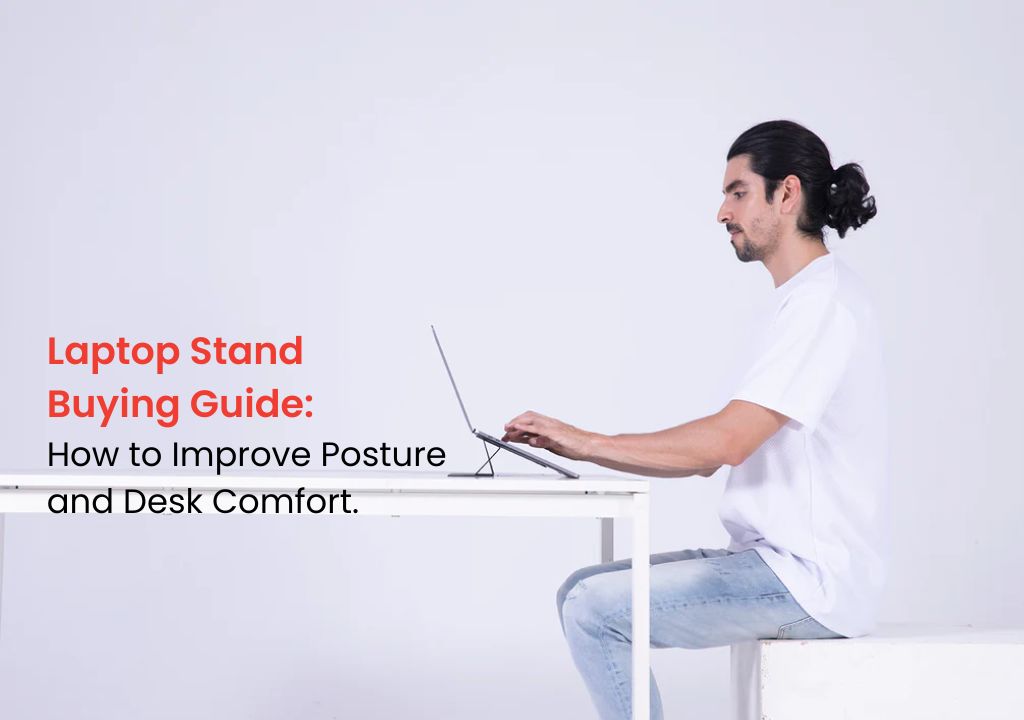
Using a laptop for long hours can feel convenient, but it is not always comfortable. Many people work with their laptop placed flat on a desk, bed, or table. As a result, they often bend their neck, round their shoulders, and sit in an awkward position for hours. Over time, this can lead to neck strain, back discomfort, shoulder tightness, and poor desk posture.
This is where a laptop stand can make a big difference. A good laptop stand raises your screen to a better viewing height, helps you sit more naturally, and improves your overall desk comfort. Whether you work from home, study online, attend meetings, edit videos, design, code, or manage business tasks, the right laptop stand can make your setup more comfortable and productive.
In this laptop stand buying guide, we will explain what to check before buying a laptop stand, including height, angle, portability, stability, material, airflow, and desk space. We will also discuss why premium laptop stands, such as MOFT laptop stands, can be a smart choice for people who want a clean, portable, and ergonomic desk setup.
Why a Laptop Stand Is Important
A laptop is designed for portability, not perfect posture. When you place it flat on a desk, the screen usually sits too low. This makes you look downward for long periods, which can put extra pressure on your neck and shoulders.
A laptop stand helps lift your laptop screen closer to eye level. Because of this, you can sit more upright and keep your neck in a more natural position. In addition, a laptop stand can improve airflow, reduce desk clutter, and create a cleaner workspace.
For people who spend several hours on a laptop every day, a stand is not just an accessory. It is a simple upgrade that can improve comfort, focus, and daily productivity.
How a Laptop Stand Improves Posture
Good posture starts with screen height. Ideally, your laptop screen should be high enough so you do not need to bend your neck too much. When the screen is too low, your head naturally moves forward, and your shoulders may become rounded.
A laptop stand can help by raising the screen and encouraging a more upright sitting position. This can reduce the habit of leaning forward and make your desk setup feel more balanced.
Better Screen Height
One of the main benefits of a laptop stand is improved screen height. When your laptop screen is closer to eye level, your neck does not need to bend downward as much. Therefore, your sitting position becomes more comfortable during long work sessions.
Less Neck and Shoulder Strain
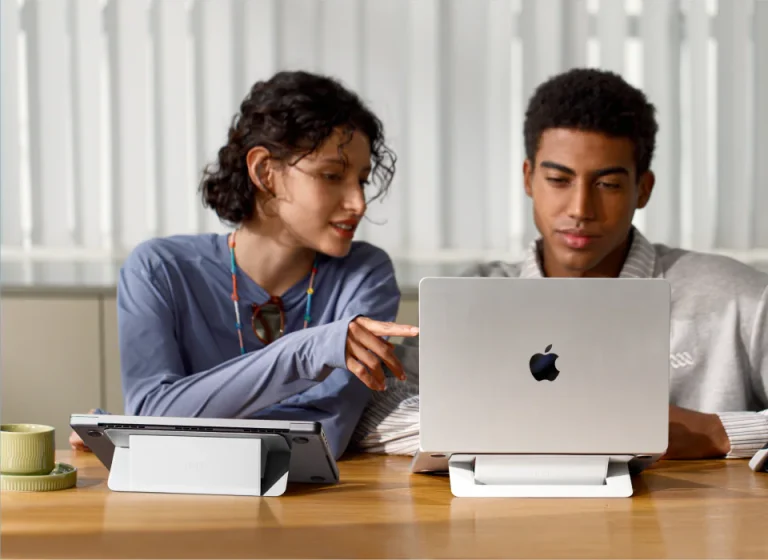
If you often feel tension in your neck or shoulders after using your laptop, your screen position may be part of the problem. A laptop stand helps reduce downward viewing, which can make your setup more comfortable.
More Comfortable Typing Setup
For the best ergonomic setup, use your laptop stand with an external keyboard and mouse. This allows your screen to stay higher while your hands remain at a comfortable desk level. As a result, your posture and wrist position can both improve.
What to Check Before Buying a Laptop Stand
Not every laptop stand is right for every user. Some stands are made for portability, while others are made for heavy-duty desk setups. Before buying, you should think about how, where, and how often you use your laptop.
Here are the most important things to check.
1. Height and Viewing Angle
The most important feature of a laptop stand is height. A good stand should raise your laptop screen enough to reduce neck bending. However, the perfect height depends on your chair, desk, laptop size, and sitting position.
Some stands offer a fixed angle, while others are adjustable. Adjustable laptop stands give you more control, especially if multiple people use the same desk or if you change working locations often.
If you only need a simple improvement, a slim fixed-angle stand can work well. However, if posture correction is your main goal, an adjustable ergonomic laptop stand may be better.
2. Stability and Grip
A laptop stand should hold your device securely. If the stand feels shaky, slippery, or weak, it can become annoying and unsafe. Stability is especially important if you use a larger laptop or type directly on the laptop keyboard.
Look for a stand with strong support, anti-slip pads, and a reliable grip. The laptop should stay in place while you work, attend video calls, or move your hands across the keyboard.
A stable laptop stand gives you more confidence and helps create a better working experience.
3. Portability and Weight
If you work from different places, portability matters. Students, freelancers, business owners, remote workers, and frequent travellers may prefer a lightweight laptop stand that is easy to carry.
Portable laptop stands are usually slim, foldable, or attachable. They take less space in your bag and are easier to use in cafés, coworking spaces, offices, and hotel rooms.
For example, a MOFT laptop stand is popular because it offers a slim and minimal design. It can stay attached to the laptop, which makes it convenient for people who want better posture without carrying a bulky stand.
4. Material and Build Quality
Build quality affects durability, stability, and appearance. Laptop stands are commonly made from aluminium, plastic, leather-like materials, or mixed materials. Each option has its own benefits.
Aluminium stands usually feel strong and premium. They also help with heat management. Lightweight foldable stands are easier to carry, while fixed desk stands may offer stronger support.
If you use your laptop daily, choose a stand that can handle regular use. A cheap stand may seem attractive at first, but it can break, bend, or lose grip over time. Therefore, a durable laptop stand is usually a better long-term investment.
5. Airflow and Heat Management
Laptops can heat up during long working sessions, video calls, editing, gaming, or multitasking. A laptop stand can improve airflow by lifting the laptop from the desk surface. This allows air to move more freely around the device.
Better airflow may help your laptop stay cooler and perform more smoothly. This is especially useful for people who use demanding software or keep their laptop running for many hours.
Some stands are designed specifically for airflow, while others simply improve ventilation by raising the laptop. If heat is a common issue for you, choose a stand with an open design.
Quick Laptop Stand Buying Checklist
| Feature | Why It Matters | Best For |
|---|---|---|
| Height | Helps raise screen closer to eye level | Better posture and neck comfort |
| Stability | Keeps laptop secure while working | Daily desk users |
| Portability | Easy to carry and use anywhere | Students, travellers, remote workers |
| Airflow | Helps reduce heat buildup | Long work sessions and heavy laptop use |
| Build Quality | Improves durability and long-term value | Regular laptop users |
6. Desk Space and Setup Style
Your desk size also matters. If you have a small desk, a bulky stand may take up too much space. A slim laptop stand can give you better comfort without making your desk feel crowded.
If you like a clean and minimal workspace, choose a stand that matches your setup. Many users prefer simple, foldable, and low-profile designs because they look neat and are easy to manage.
For a more complete ergonomic setup, pair your laptop stand with:
- External keyboard
- Wireless mouse
- Comfortable chair
- Proper desk height
- Good lighting
This combination can make your workstation more comfortable and productive.
7. Fixed vs Adjustable Laptop Stand
One common question is whether to choose a fixed laptop stand or an adjustable laptop stand. The answer depends on your needs.
A fixed laptop stand is usually simple, lightweight, and easy to use. It works well if you want a quick improvement in screen height and desk comfort. Many slim portable stands fall into this category.
An adjustable laptop stand gives you more flexibility. You can change the height and angle based on your sitting position. This is useful if you work long hours or share the stand with someone else.
For most users, a portable fixed-angle stand is enough for daily comfort. However, for serious ergonomic setups, an adjustable stand may be a better choice.
8. Laptop Size Compatibility
Before buying a laptop stand, check whether it supports your laptop size and weight. Some stands are made for smaller laptops, while others can handle larger devices.
If you use a 13-inch or 14-inch laptop, most portable stands will work well. However, if you use a 15-inch, 16-inch, or heavier laptop, make sure the stand offers enough strength and grip.
A laptop stand should not feel unstable when your laptop is placed on it. Therefore, always check compatibility before ordering.
9. Design and Everyday Convenience
A laptop stand should fit into your daily routine. If it is too bulky, difficult to adjust, or hard to carry, you may stop using it after a few days. The best laptop stand is the one you can use consistently.
For everyday use, convenience matters. A slim stand is easier to keep attached to your laptop. A foldable stand is easier to carry. A strong desk stand is better for a fixed workstation.
This is why premium options like MOFT laptop stands are useful for people who want a practical balance between comfort, style, and portability.

MOFT Laptop Stands: A Good Option for Minimal Desk Setups
MOFT laptop stands are popular among users who prefer a clean, portable, and modern setup. They are designed to be slim, lightweight, and easy to carry, which makes them suitable for students, professionals, freelancers, and remote workers.
A MOFT Invisible Laptop Stand can be useful if you want a stand that stays attached to your laptop and does not take extra space in your bag. Meanwhile, a MOFT Airflow Laptop Stand can be a good choice if you want better ventilation and desk comfort.
For people looking for a premium laptop stand in Pakistan, MOFT-style stands can offer a practical combination of portability, posture support, and clean design.
Common Mistakes to Avoid When Buying a Laptop Stand
Many buyers choose a laptop stand only because it looks good. However, design should not be the only factor. You should also check height, stability, material, laptop size support, and daily usability.
Another mistake is buying a stand that is too high or too low. If the screen height is uncomfortable, the stand will not solve your posture problem properly.
Some users also forget that a laptop stand works best with an external keyboard and mouse. If your laptop is raised but you still type on the built-in keyboard for long hours, your wrists and shoulders may still feel uncomfortable.
Therefore, think about your full desk setup before buying.
Who Should Use a Laptop Stand?
A laptop stand is useful for many types of users, especially people who spend long hours on a laptop.
It is a good choice for:
- Office workers
- Remote workers
- Students
- Freelancers
- Designers
- Developers
- Business owners
- Content creators
- Online teachers
- People with small desk setups
If you use your laptop daily, a stand can help you create a more comfortable and professional workspace.
Why Buy Laptop Stands from incharge.pk?
If you are looking for a premium laptop stand in Pakistan, incharge.pk offers original tech accessories designed for comfort, productivity, and everyday use.
The store focuses on high-quality original products, direct imports, and trusted brands such as MOFT, Rolling Square, and Brandcharger. Instead of buying a generic stand with uncertain quality, you can choose a premium product that supports your work setup and daily comfort.
At incharge.pk, you can explore portable laptop stands, airflow-friendly stands, and minimal desk accessories that are useful for home, office, study, and travel.
Final Thoughts
A laptop stand is a small accessory, but it can make a big difference in your daily comfort. It helps raise your screen, supports better posture, improves airflow, and creates a cleaner desk setup.
Before buying, check the height, angle, stability, portability, material, airflow, and laptop compatibility. Also, think about how you use your laptop every day. A student, traveller, remote worker, and office professional may all need different types of stands.
If you want a cleaner, more comfortable, and posture-friendly workspace, a premium laptop stand can be a smart investment.
Ready to improve your desk comfort? Explore original laptop stands at InCharge Pakistan and choose a premium stand built for better posture, airflow, and everyday productivity.
FAQs About Laptop Stands
1. Is a laptop stand good for posture?
Yes, a laptop stand can help improve posture by raising your laptop screen closer to eye level. This reduces the need to bend your neck downward for long periods.
2. Do I need an external keyboard with a laptop stand?
For the best ergonomic setup, yes. A laptop stand works best when used with an external keyboard and mouse because your screen can stay higher while your hands remain at desk level.
3. Which laptop stand is best for work from home?
The best laptop stand for work from home should be stable, comfortable, and suitable for your desk space. If you move around often, a portable laptop stand may be better.
4. Are MOFT laptop stands good?
MOFT laptop stands are a good option for users who want a slim, portable, and minimal design. They are useful for students, professionals, freelancers, and remote workers.
5. Does a laptop stand help with overheating?
A laptop stand can help improve airflow by lifting the laptop from the desk surface. This may help reduce heat buildup during long working sessions.
6. What should I check before buying a laptop stand?
Before buying a laptop stand, check the height, angle, stability, material, portability, airflow, laptop size compatibility, and overall build quality.
7. Can I use a laptop stand for gaming or editing?
Yes, but choose a stable stand with good airflow and strong support. Gaming, editing, and heavy software use can generate more heat, so ventilation is important.
8. Where can I buy a laptop stand in Pakistan?
You can buy laptop stands from trusted tech accessory stores. For premium original laptop stands, incharge.pk offers MOFT and other quality options for desk comfort, work, study, and travel.